
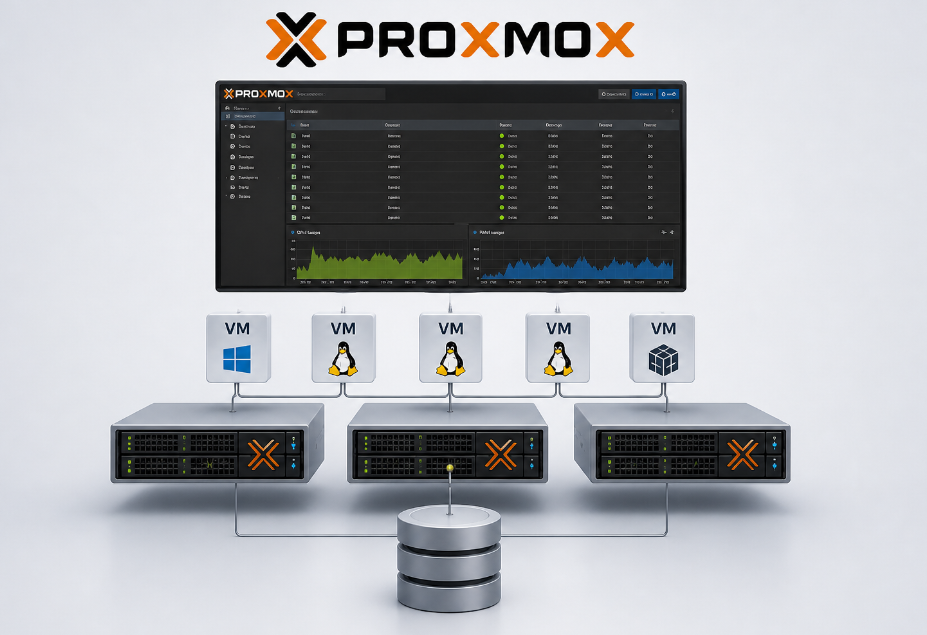
How I, as an IT service provider, create reliable systems with virtualized infrastructure
Security instead of unnecessary complexity
As an IT service provider, I follow a simple philosophy: I don’t sell IT—I sell security, stability, and business continuity. A company doesn’t need an expensive system for the administrator; it needs a reliable system that simply works. It needs backups that actually function. It needs the confidence that in the event of a critical failure, operations can be restored within minutes.
Over the years, I’ve seen companies invest in increasingly complex and costly solutions without their systems becoming any more secure. In fact, the opposite is often true: the more complex, the more prone to errors. The more expensive, the less flexibility.
This is exactly where Proxmox comes in. As an open-source virtualization platform based on KVM, it enables me to build enterprise infrastructures that are no more expensive than traditional solutions, yet offer significantly greater flexibility, security, and above all: control.
What is Proxmox and why is it relevant for small and medium-sized businesses?
Proxmox Virtual Environment (kurz Proxmox VE) ist eine Open-Source-Lösung zur Virtualisierung von Proxmox Virtual Environment (Proxmox VE for short) is an open-source solution for system virtualization. Unlike VMware or Microsoft Hyper-V, Proxmox is not only free—it is also fully transparent and customizable.
In practical terms, this means:
No hidden costs: Proxmox is free. That’s it. No annual licensing fees that suddenly triple.
No questionable licensing models: I’ve seen too many projects where large vendors unexpectedly changed their licensing terms, putting customers under pressure.
No vendor lock-in: Businesses are not dependent on a large corporation’s support team to fix issues or being pushed into constantly upgrading to more expensive software versions.
For small and medium-sized businesses, this is critical. An SMB cannot afford to be tied to solutions where licensing costs escalate every year. With Proxmox, they rely on a platform that runs on standard hardware, is maintainable, and provides long-term stability—without requiring me, as a service provider, to continuously invest in new and more expensive licenses.
My system architecture process: strategy instead of chaos
When I build a Proxmox infrastructure for a company, I never start with the technology. I start with a structured analysis process:
Which systems need to run? (file servers, web servers, databases, specialized applications)
How much downtime can the business afford? (often the most important question—one hour of downtime can cost more than new hardware)
What regulatory requirements apply? (GDPR, industry regulations, local data protection laws)
What does the ideal backup and disaster recovery scenario look like? (what is realistically achievable and how often must it be tested?)
Only then do I design the technical solution. And this is where the first major advantage of Proxmox becomes clear: it works just as well with Windows systems as it does with Linux. I’m not forced to commit to a single ecosystem.
Virtualization allows me to consolidate, scale, and above all secure systems—without running into the limitations of a single platform.
Windows Server 2025 or Linux systems?
For a long time, IT was a classic either-or: either you relied on Windows with high licensing costs, or you navigated the complexity of Linux systems. With Proxmox, this outdated choice is finally a thing of the past.
If a company has already invested in Windows-based applications and solutions, I deploy a Windows Server 2025—fully licensed and compliant. The server then runs as a virtual machine on Proxmox with all enterprise features:
Snapshots (point-in-time images of the entire system)
Live migration (no downtime during hardware maintenance)
Automated, regular backups (daily, multiple times per day if needed)
Hardware independence (the server runs on virtually any hardware)
At the same time, I implement lightweight Linux systems (Ubuntu, Debian, Arch Linux)—as file servers, web servers, or for specialized applications. These run with minimal resources, are easy to maintain, and require no licensing costs.
The combination is optimal: I use the best system for each task without artificially limiting myself.
A Windows system costs the customer money for licenses, but that’s justified when it’s the right solution for the problem. A Linux system costs almost nothing, runs very reliably, and requires fewer resources. Both have their place on a Proxmox server.
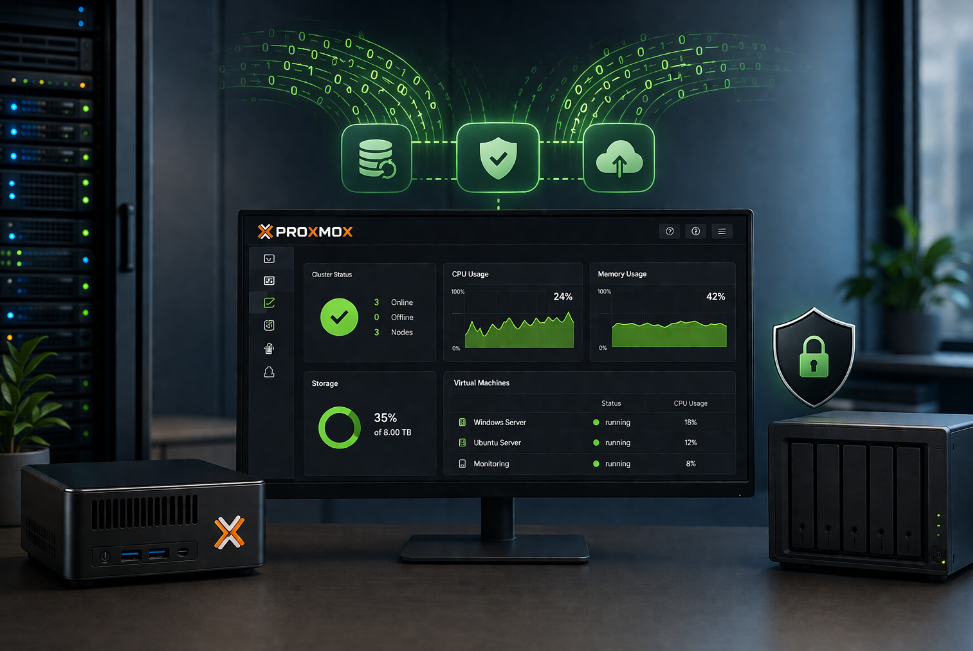
The power of regular backups and snapshots – the heart of security
This is the foundation of my entire security philosophy: backup capability with Proxmox.
Traditionally, backups meant a frustrating trade-off between effort and frequency. With Proxmox, I can create full system images (including all data, settings, and configurations) multiple times a day. Technically, this has become trivial.
But snapshots are what truly make the difference: a snapshot is a point-in-time copy of an entire virtual system. If a critical issue occurs—a failed update, a malware infection, or accidentally deleted data—I can literally roll the server back to a previous state at the push of a button.
Not individual files, not individual databases—the entire system within minutes.
This is not a theoretical feature. It’s the practical difference between “operations are down for two days” and “everything is back online by 2 PM.”
This is no exaggeration: this capability has secured working relationships with my clients more than once. A critical system update that crashes the system? One click on the last working snapshot, and within five minutes everything is running again. The client barely notices—except that I responded quickly and efficiently.
That builds trust. That’s IT security in practice, not just in theory.
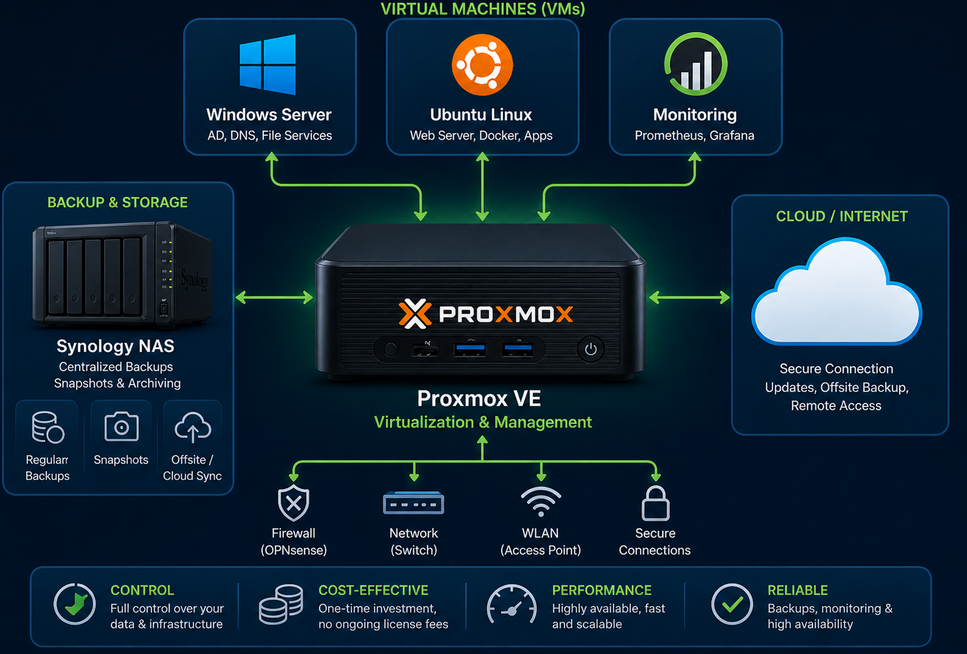
Practical example: A small to medium-sized business with 15 employees
Let’s take a real example from my projects: an SMB with around 15 employees had been renting servers from a hosting provider for years. The infrastructure was expensive, backups were not always reliable, and in the event of a failure, the company couldn’t respond quickly.
The managing director was paying high monthly fees for something he didn’t own. Downtime was a recurring reality. A real emergency meant long waiting times and potential data loss.
I implemented the following solution:
| Component | Hardware | Configuration & Function |
| Proxmox Host | High-performance PC with 16-core CPU, 128GB RAM, 2x 4TB SSD (RAID 1) | Hypervisor – the central platform for all virtual machines |
| Windows Server 2025 | 12 vCores, 96GB RAM (VM) | Workstation for multiple clients via RDP, shared software, printer sharing, existing licenses |
| Debian Linux | 4 vCores, 32GB RAM (VM) | Monitoring, Docker software, web services, website |
| Synology DiskStation | 5TB storage with RAID 1 | File server, local backups (daily incremental) |
Backups are secured in three layers:
Daily incremental backups to the Synology DiskStation. This is fast, reliable, and physically located within the company. Incremental backups mean only changes are saved—making the process efficient and energy-saving.
Weekly full backups to the cloud (automated and encrypted). This is my offsite insurance against local disasters—fire, water damage, theft. The data is stored in a separate location.
Daily snapshots of the Proxmox system itself for ultra-fast point-in-time recovery. This is for emergencies when I need to act quickly without waiting hours for restore processes.
The result: the client has true redundancy. Multiple backups. Multiple tests. (I regularly test backups—because a backup that doesn’t work is useless.)
If the Proxmox host fails, the backups can be restored onto replacement hardware.
If a critical update fails, the system can be restored with a single click.
If ransomware strikes, a clean, tested recovery copy exists.
This was impossible with the old rented servers. With Proxmox, it’s standard—a true “set and forget” system that I mainly just monitor.
Most importantly: the client sleeps better. They know their data is safe—and they’re saving money at the same time.
Cost efficiency: Why Proxmox is significantly more affordable
The calculation is simple and clear:
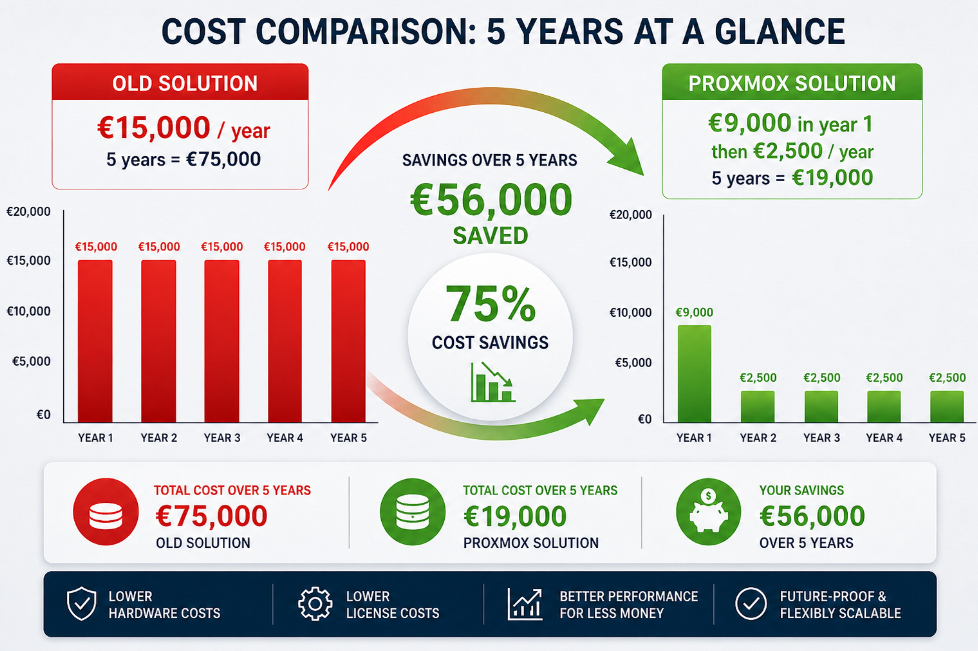
Old solution: rented servers
Costs per year:
Rented servers: €10,000/year
Backup solution via third-party provider: €3,000/year
Maintenance and monitoring: €2,000/year
Total: €15,000/year
Total cost over 5 years: €75,000
The problem: the servers do not belong to the client. In an emergency, they depend on the hosting provider. Backups are not always reliable. Downtime costs real money.
New solution: Proxmox with own hardware
One-time investment (Year 1):
New Proxmox server (own hardware): €5,000
Synology DiskStation with 2x 5TB: €1,500
Total: €6,500
Ongoing costs per year:
Backup and service contract with cloud backup and monitoring: €2,500/year
Total: €2,500/year
Total cost over 5 years:
Year 1: €6,500 + €2,500 = €9,000
Year 2–5: 4 × €2,500 = €10,000
TOTAL: €19,000
| Old solution | Proxmox-solution | Cost savings | |
| Year 1 | €15.000 | €9.000 | €6.000 |
| Years 2-5 | €60.000 | €10.000 | €50.000 |
| Total cost savings 5 years | €75.000 | €19.000 | €56.000 |
| in percent | — | — | 75% |
This represents a cost savings of over 75% over 5 years!
What’s especially impressive: the hardware investment of €6,500 pays for itself within the first year. In year one alone, the client saves €6,000 compared to the old solution. From year two onward, they only pay €2,500 per year instead of €15,000—resulting in annual savings of €12,500.
After just one year, the client owns hardware worth €6,500, whereas with the old solution they own nothing—only paid rent that’s gone. Every following year is essentially low-cost, while the old solution continues to cost €15,000 per year.
And that’s just the financial side. The Proxmox solution also provides:
Automated backups instead of manual and error-prone processes
Offsite protection through cloud backups against local disasters
Snapshots for ultra-fast recovery (minutes instead of hours/days)
True control – the client owns their hardware
Independence – no longer reliant on expensive hosting providers
Future-proofing – the solution is scalable and flexible
With the old solution, every hour of downtime is a financial risk. With Proxmox, we’re back online within minutes.
Security through control and transparency
As an independent IT service provider, one thing is absolutely essential for me: control and transparency.
I need to know what is running in my clients’ systems. I need to be able to track changes. I need to be able to close security gaps myself if necessary—instead of waiting for vendor patches and hoping for the best.
Proxmox is open source. For me, it’s a strategic investment of my time and expertise. But it means:
I can audit the code myself
I’m not bound by a vendor’s service-level agreements
My clients trust me—not blindly a large corporation
I provide real independence
Proxmox is maintained by an active community and regularly updated. Security patches are released promptly. That’s real security through transparency—not through secrecy behind a vendor wall.
I can look my clients in the eye and say: I know this system. I stand behind it. That matters more than any certification.
When Proxmox is the right choice – and when it isn’t
I don’t sell unnecessary IT. That’s why I want to be honest: Proxmox is not relevant for everyone.
Proxmox is the right choice if:
The company has multiple server systems and consolidation makes sense
Specialized software requires virtualization or centralized access (e.g., Windows Server 2025 with RDP) is needed
Data loss represents a real financial or legal risk
Long-term stability and independence from vendors are important
The company wants a trusted IT partner relationship with me
Proxmox is probably not necessary if:
The company operates only a single, highly specialized server
Cloud services (Office 365, Google Workspace, AWS, Salesforce, etc.) already cover all requirements
The company does not want or cannot maintain an IT partner relationship
In these cases, I advise my clients honestly instead of selling them a system they don’t need.
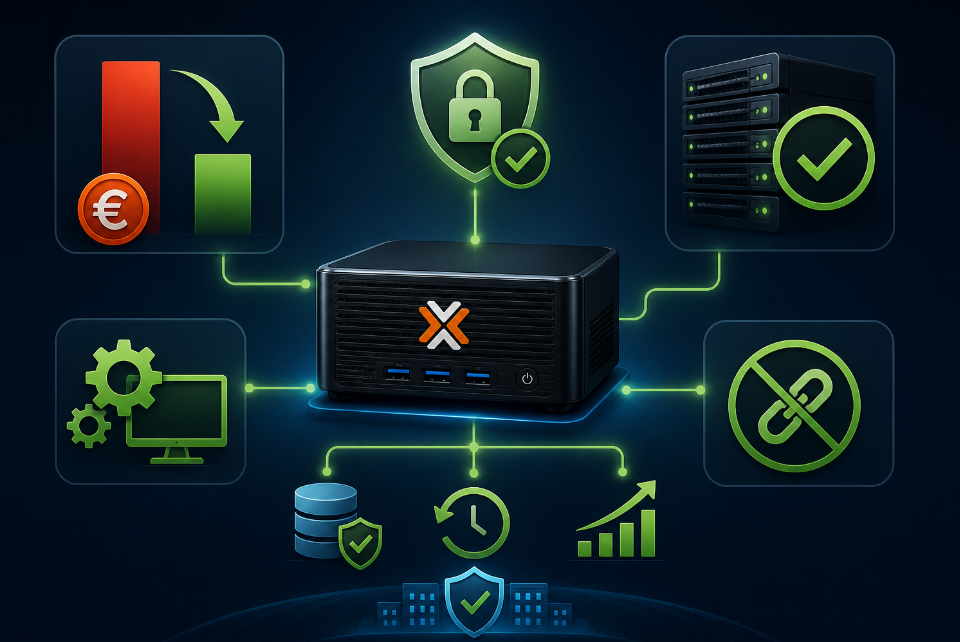
Conclusion: IT is not an end in itself
My philosophy as an IT service provider is simple: I don’t sell IT—I sell business continuity.
For me, Proxmox is a tool that enables this particularly well. It is:
Cost-efficient (75% cost savings over 5 years, with ROI already in year one)
Reliable and stable (it simply works)
Maintainable and transparent (I fully understand the system)
Independent from vendors (not subject to expensive licensing pressure)
This allows me to look my clients in the eye and say:
“Your system is secure. Your data is protected. If something goes wrong, we’ll be back online within minutes. And you save €6,000 in the first year alone—and €12,500 every year after that.”
That’s not marketing. That’s real IT security and real economic value.
I have no interest in building overly complex systems just so I can step in later as a firefighter. I build systems that are so reliable that most problems never occur in the first place. And if something does go wrong, I’m prepared and can respond quickly.
That’s professional IT service.
If you have questions about your IT infrastructure or think a similar solution might make sense for your business, feel free to contact me. I’ll be happy to advise you with no obligation and give you an honest assessment of what makes sense for you—and what doesn’t.