

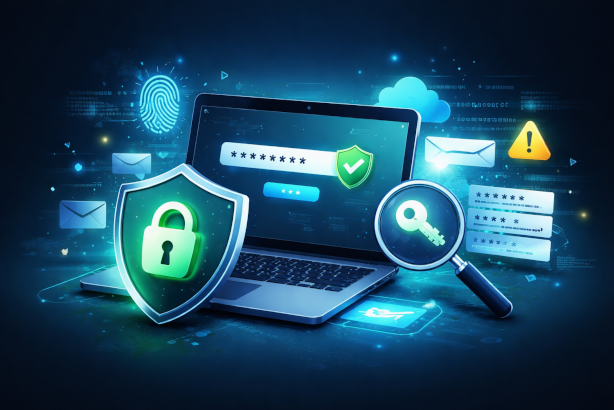
As an IT service provider, I see every day how underestimated password security still is. Yet passwords are often the first – and sometimes the only – line of defense against cyberattacks.
⚠️ Why strong passwords matter
Cybercriminals no longer work manually – they use automated tools that can try millions of combinations per second. Weak passwords are an easy target.
👉 A strong password should always meet the following criteria:
- 🔢 At least 12 characters long
- 🔠 Contains uppercase and lowercase letters
- 🔣 Includes special characters
- 🔑 Uses numbers
An example of a strong password:G7!m#Kp2$Lx9
🧠 Even more important: Has your password been leaked?
Even a complex password is useless if it already exists in a hacker database.
➡️ Large data breaches from websites and online services are published regularly
➡️ Attackers actively use these databases
➡️ Especially dangerous: password reuse
👉 That’s why:
A password must not only be strong – it must also be clean (not leaked).
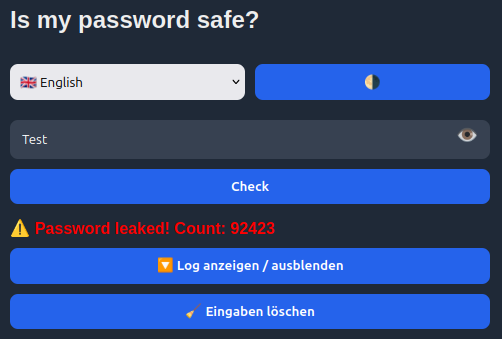
🔍 Check your password – safe & anonymous
I’ve built a tool that allows you to quickly and securely check:
✔️ Whether your password appears in known data breaches
✔️ Without sending your actual password
👉 How it works (simple explanation):
- Your password is converted locally into a hash (SHA-1 with 40 characters)
- Only the first 5 characters of this hash are transmitted
- The rest stays on your device
🔒 This means your password cannot be reconstructed or intercepted
🚀 Try it now
👉 Check your password here:
🔗 https://passcheck.it-service-commander.de
💡 Practical tips from an IT professional
- Use a unique password for every service
- Use a password manager
- Enable two-factor authentication (2FA) for maximum security 🔐
👉 Learn more: https://www.it-service-commander.de/yubikey-2fa-unternehmen-bedburg-bergheim/
📈 Conclusion: Password security is not optional
A good password only protects you if it is:
✔️ strong
✔️ unique
✔️ not already compromised
👉 Check your passwords regularly and significantly improve your security.
Tom Commander – IT-Service-Commander
Your partner for secure IT solutions