
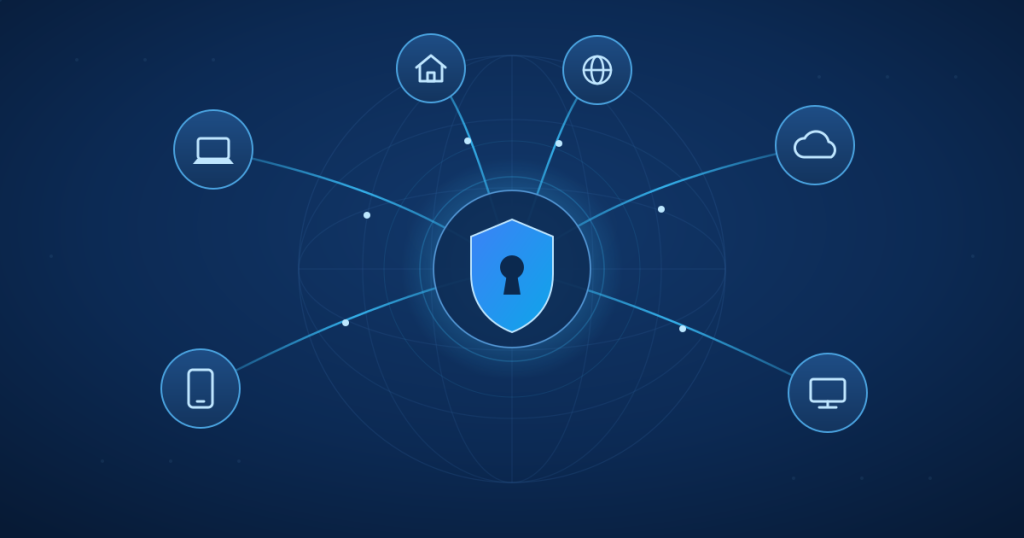
Your employees work from home, on-site with clients, on the train or in a hotel on the other side of the world – and they all still need secure, reliable access to your company data. That’s exactly what I build for you: a modern VPN. My tool of choice is NetBird. In this article I’ll explain, in plain language, how it works, why it runs even in hotels with heavily restricted internet, and what that means in practice for your business in the Rhein-Erft region.
The problem: remote access is often a headache
Hardly any company works exclusively from its own office anymore. Employees work from home, out in the field, or while travelling. And they all need one thing: secure access to servers, files, the ERP system or their own company cloud.
Traditional VPN solutions tend to make exactly this complicated. They need a fixed public IP address, port forwarding on the router, elaborate firewall rules, and a central VPN server that all traffic is funnelled through. That’s high-maintenance, often slow – and the moment you’re in a hotel network that only lets websites through, the connection frequently doesn’t work at all.
There’s a far simpler and more secure way. My answer to this is NetBird.
What is NetBird?
NetBird is a modern, open-source VPN – more precisely, what’s known as an overlay or mesh network built on WireGuard. WireGuard is currently the fastest and most modern VPN technology, with first-class encryption. NetBird builds on top of it and takes all the complicated configuration off your hands.
The key difference from traditional VPNs: with NetBird, devices connect directly to each other – point to point, encrypted, and without detouring through a central bottleneck server. This is called a peer-to-peer network. Every device (laptop, server, phone, your company cloud) becomes an equal participant in your private, secured network.
For you, that means:
- ✓ No port forwarding and no open ports required in your firewall
- ✓ No fixed public IP address needed
- ✓ State-of-the-art encryption via WireGuard
- ✓ Central, clear management of who can access what
- ✓ Fully self-hosted on request – complete data sovereignty, entirely under your control
How does NetBird work in detail?
To give you a feel for what happens behind the scenes, I’ll break it down into steps you can follow. Don’t worry – in day-to-day use, your employees won’t notice any of it. Once set up, the connection is simply there for them.
1. The NetBird client on every device
A small app is installed on every device that’s meant to join the network – the NetBird client (also called the “agent”). During setup, this client generates its own key pair consisting of a private and a public WireGuard key. The private key stays secret on the device, while the public key may be shared. These keys later ensure that traffic is properly encrypted and decrypted, and that only trusted devices actually talk to each other.
2. Login and identity
Before a device becomes part of your network, it has to log in – either via a one-time setup key or via central sign-in (single sign-on) using providers such as Microsoft, Google or a self-hosted solution. On request, you can even add two-factor authentication. That way, nobody joins the network who doesn’t genuinely belong there.
3. The central coordination (management)
The heart of the system is the management service. Think of it as a switchboard: it knows all the registered devices, manages their public keys, and tells each device which other devices it’s allowed to connect to. Each device also receives its own fixed internal IP address within your private network.
Important: this central service only handles the coordination, not your actual payload data. Your documents, emails or database queries flow directly between the devices – the central service merely tells the devices how to find each other.
4. The direct connection – even through firewalls
Now comes the clever part. To let two devices connect directly even though both sit behind routers and firewalls, NetBird uses proven NAT traversal techniques (with the help of STUN and signal services). In simple terms: both devices “knock” from the inside out and find a direct path to each other – without you having to open anything on your router.
The entire connection setup happens exclusively from the inside out (outbound). That’s a huge security gain: from the outside, there isn’t a single open port on your firewall for an attacker to target.
5. The safety net: the relay
Sometimes a particularly strict network – for instance on mobile data or in a restrictive corporate or hotel Wi-Fi – won’t allow a direct connection. For this case there’s a safety net: the relay. Both devices then connect outbound to a relay server, which passes the data packets through.
The crucial point: even over the relay, the connection stays end-to-end encrypted. The relay server only sees encrypted gibberish and cannot read your content. The keys for that were exchanged directly between the two devices beforehand.
Why does this even work in a hotel with “blocked” internet?
This is the question I get asked most often – and it’s exactly where NetBird plays to its strengths.
Many hotel Wi-Fi networks, airport networks or tightly locked-down corporate networks only allow through what’s needed for ordinary web browsing: encrypted websites over TCP port 443 (HTTPS). Everything else – including traditional VPNs – is blocked. Anyone who has ever tried to start a conventional company VPN in a hotel and only got an error message knows the problem.
NetBird solves this elegantly: if the preferred, fast path is blocked, the relay automatically falls back to a connection over port 443 – the very same port every normal website uses. To the hotel firewall, your encrypted company traffic then looks like ordinary web traffic. And because practically every network in the world has to let HTTPS through (otherwise no website would load), your connection gets through.
In the background, NetBird automatically tries several paths at once and takes whichever works first. Your employee notices none of this – they simply open their laptop, and access to the company data is there. Whether it’s a home office in Bergheim, an intercity train or a hotel room overseas makes no difference.
Security based on the zero-trust principle
A modern network trusts no one blindly – not even its own devices. NetBird works on the zero-trust principle: by default, no one is allowed to access anything at first. Only through clear rules that I set up does each person and device get exactly the access it actually needs – and no more.
In concrete terms for your business: accounting reaches the accounting server, the field team reaches the CRM data, the administrator reaches everything – but only where it makes sense. If a laptop is ever lost or stolen, I revoke all of that device’s access with just a few clicks. Your data stays protected.
Self-hosted: your data stays your data
NetBird can be used as a ready-made cloud service – or run entirely on your own infrastructure. And that’s my specialty. I set NetBird up so that the central coordination runs on a server you control – if you wish, on German soil and GDPR-compliant.
That way you don’t become dependent on a large provider, you retain full authority over your access credentials and your network, and you always know where your data resides. This data sovereignty matters to me across all my solutions – whether for your own company cloud, secure communication, or your VPN.
What this means for your daily work
- Home office without compromises: your employees work from home exactly as if they were in the office – with full, secure access to all systems.
- Access while travelling: whether at a client’s site, in a hotel or on the move – the connection stays up, even in restrictive networks.
- Connecting locations: several offices, warehouses or a server in a data centre can be securely combined into one shared network.
- Access to your company cloud: your self-hosted cloud (e.g. on a Synology DiskStation) becomes securely reachable from anywhere – without exposing it unprotected to the internet.
- Less maintenance, more peace of mind: no fragile port forwarding, no constant firewall tinkering. It simply works.
I set up your secure VPN – personally and clearly
Secure VPN connections, encryption and protecting sensitive data are my personal specialty. I analyse your situation, set NetBird up to fit your needs, define sensible access rules, and make sure your team can work securely from anywhere. And because I value clear explanations, by the end you’ll also understand why the solution is built the way it is – without unnecessary jargon.
As your personal IT service provider in the Rhein-Erft region – in Bedburg, Bergheim and the surrounding area – you won’t be talking to a rotating hotline, but directly to me. To someone who knows your systems and takes responsibility for them.
Would you like your employees to securely access your company data from anywhere? Then let’s talk. Feel free to arrange a free initial IT consultation – I’ll look at your current situation and work out the right solution together with you.