I am currently developing Commander CFO – accounting software for associations, sole traders and UGs in Germany that runs entirely in the browser. CFO stands for Chief Financial Officer: the job that, in small clubs and businesses, usually gets done on the side. I already use Commander CFO for my own bookkeeping; for you, it is expected to be available in Q2 2027.
The idea comes from my own day-to-day work: bank statements, receipts, VAT, year-end accounts and – for associations – donations and articles of association should all come together in one place. No spreadsheet chaos, in plain language, and with figures at the end that you can take to the tax office or to your tax adviser.
What Commander CFO is
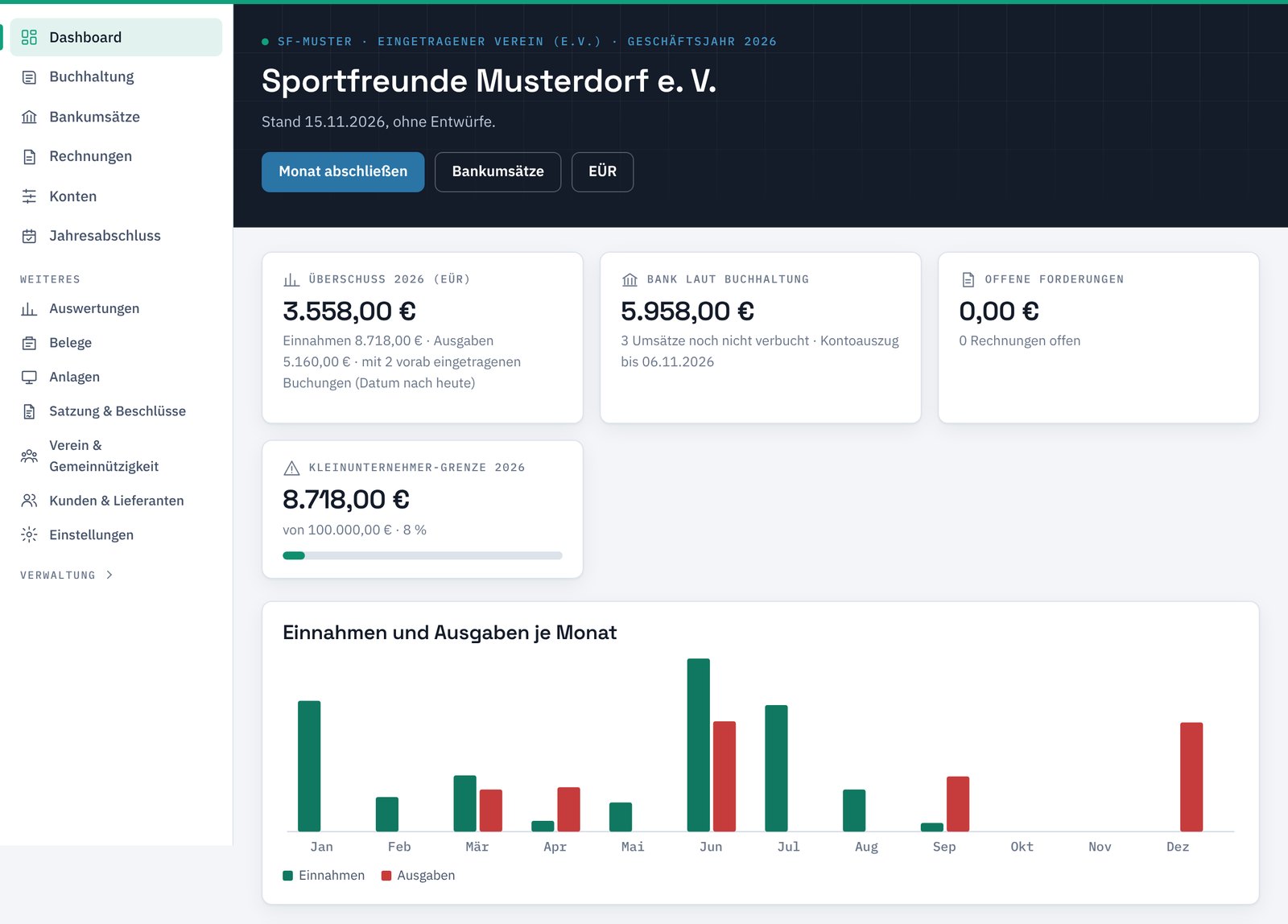
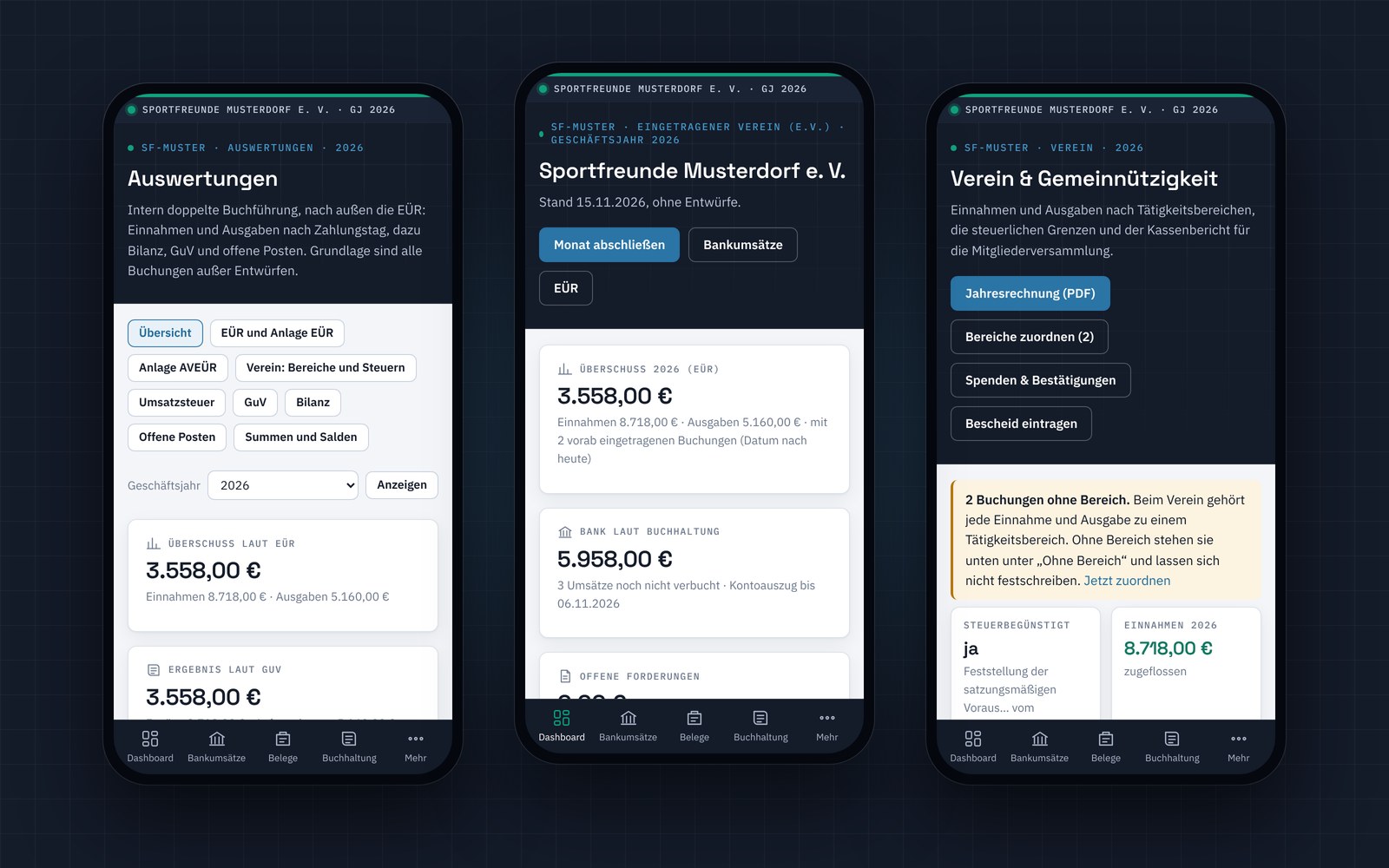
Commander CFO is double-entry bookkeeping in the browser – on your PC, tablet and phone. I run the software centrally on my server. You simply log in and get started, with nothing to install.
- Guided, not dreaded: The software suggests accounts, recognises recurring payments and tells you in plain words what is still missing.
- SKR 03 chart of accounts: Reports and exports match what German tax advisers work with – including DATEV booking batches and the data export for tax audits.
- Developed with the GoBD in mind: The GoBD are the German principles for proper electronic bookkeeping. Posted entries cannot be changed unnoticed, and every change is logged. This is not a certification – whether bookkeeping is proper also depends on how it is kept.
- No technology for you to worry about: I take care of updates, servers and the daily backups. You only see your accounts.
- Tried and tested in my own business: I already keep my own books with Commander CFO. Whatever bothers me in daily use, I improve before you get to see it.
- Made for Germany: Commander CFO is German bookkeeping software through and through – German tax rules, ELSTER forms and non-profit law. The interface is currently in German.
Accounting software for associations, sole traders and UGs
Commander CFO is aimed at three groups who want to keep their bookkeeping in their own hands – without expensive specialist software and without piles of paper.
Registered associations (e.V., including non-profit)
- Bookings by the four tax areas of a German association: non-profit activities, asset management, purpose-related operations and commercial operations
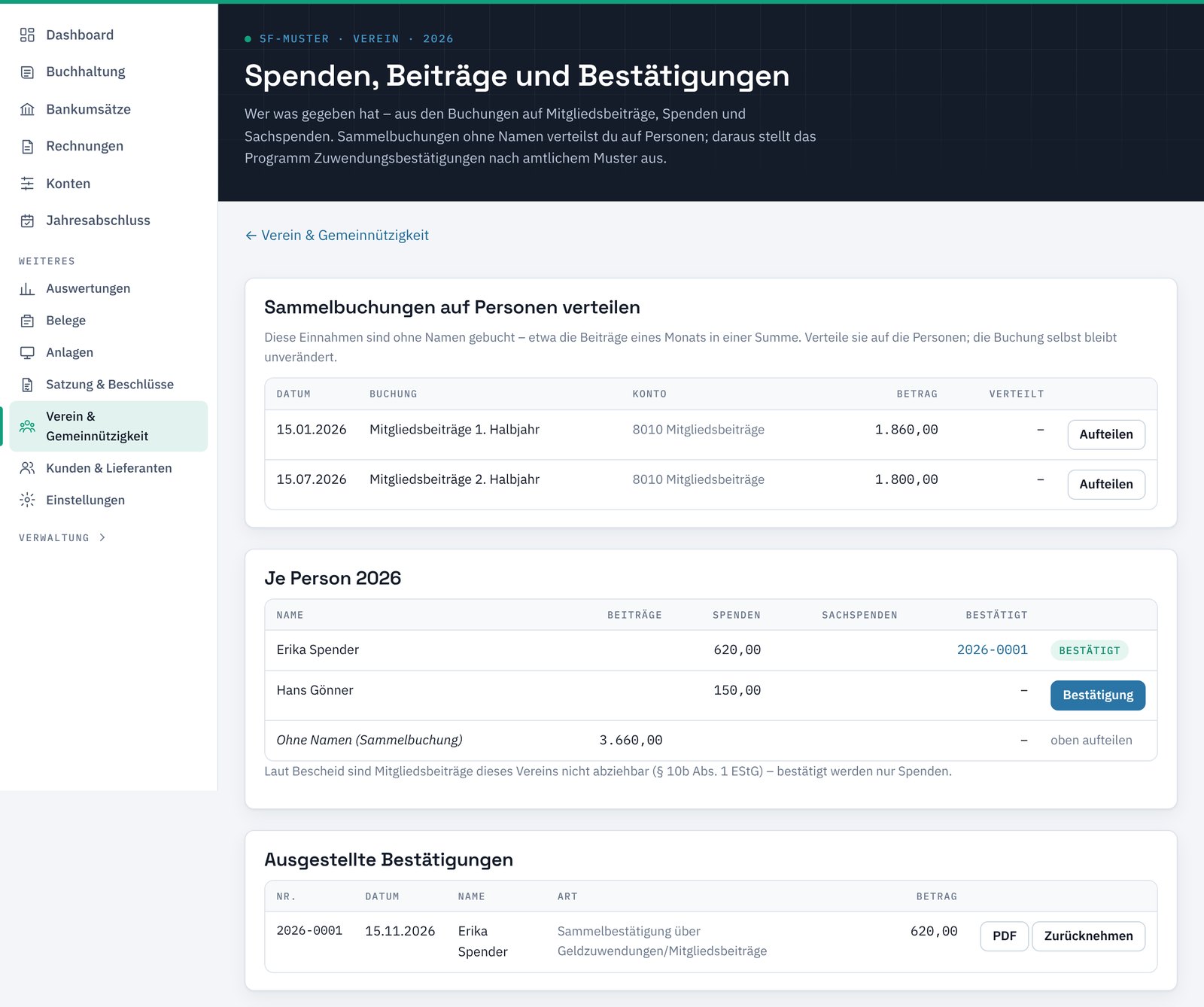
- Membership fees and donations per person
- Donation receipts (Zuwendungsbestätigungen) based on the official templates
- Tax-free allowances for coaches and volunteers (Übungsleiter- and Ehrenamtspauschale) at a glance
- Treasurer’s report for the general meeting
- Help with drafting articles of association
Treasurers know the problem: many programs are built for companies, not for club accounting. That is why Commander CFO is expressly designed as accounting software for associations too – with everything that non-profit status requires.
Sole traders and the self-employed
- Cash-basis profit calculation (EÜR) with a filling aid for the Anlage EÜR form
- VAT advance return as a filling aid
- Monitoring of the small-business thresholds (Kleinunternehmerregelung)
- Receipts as a phone photo or PDF
- Bank statements via CSV import
UG (haftungsbeschränkt) – the German mini limited company
- Balance sheet and profit and loss account
- Template for corporation tax and trade tax
- Statutory reserve under Section 5a GmbHG
- Create the E-Bilanz (electronic balance sheet) and check it with ELSTER’s validation module
- Salary of the shareholder-managing director and profit distribution
Several companies, or an association alongside your own business? No problem: under one customer account you keep several companies separate and decide who has access to what – for example the treasurer, the board or your tax adviser.
Features at a glance
- Bank: Import bank statements as CSV files – initially for N26, with more banks to follow. The software recognises known payees and recurring payments and suggests the matching booking.
- Receipts: Upload invoices and receipts or photograph them with your phone; Commander CFO suggests which payment a receipt belongs to.
- Reports: Cash-basis profit calculation, balance sheet and P&L, open items, monthly overview, expenses by account – all also as PDF.
- VAT: Tax codes on every booking and filling aids for the advance return and the annual return.
- Fixed assets: Asset register with depreciation, low-value assets and collective items.
- Year-end closing: Step-by-step checklist, balances carried forward to the new year and a data export for tax advisers and tax audits.
- Contracts and resolutions: Employment, loan and rental contracts and shareholder resolutions prepared from your data – editable and as PDF.
- Articles of association: A few details are enough for draft articles using the wording of the official model articles, plus the minutes of the founding meeting.
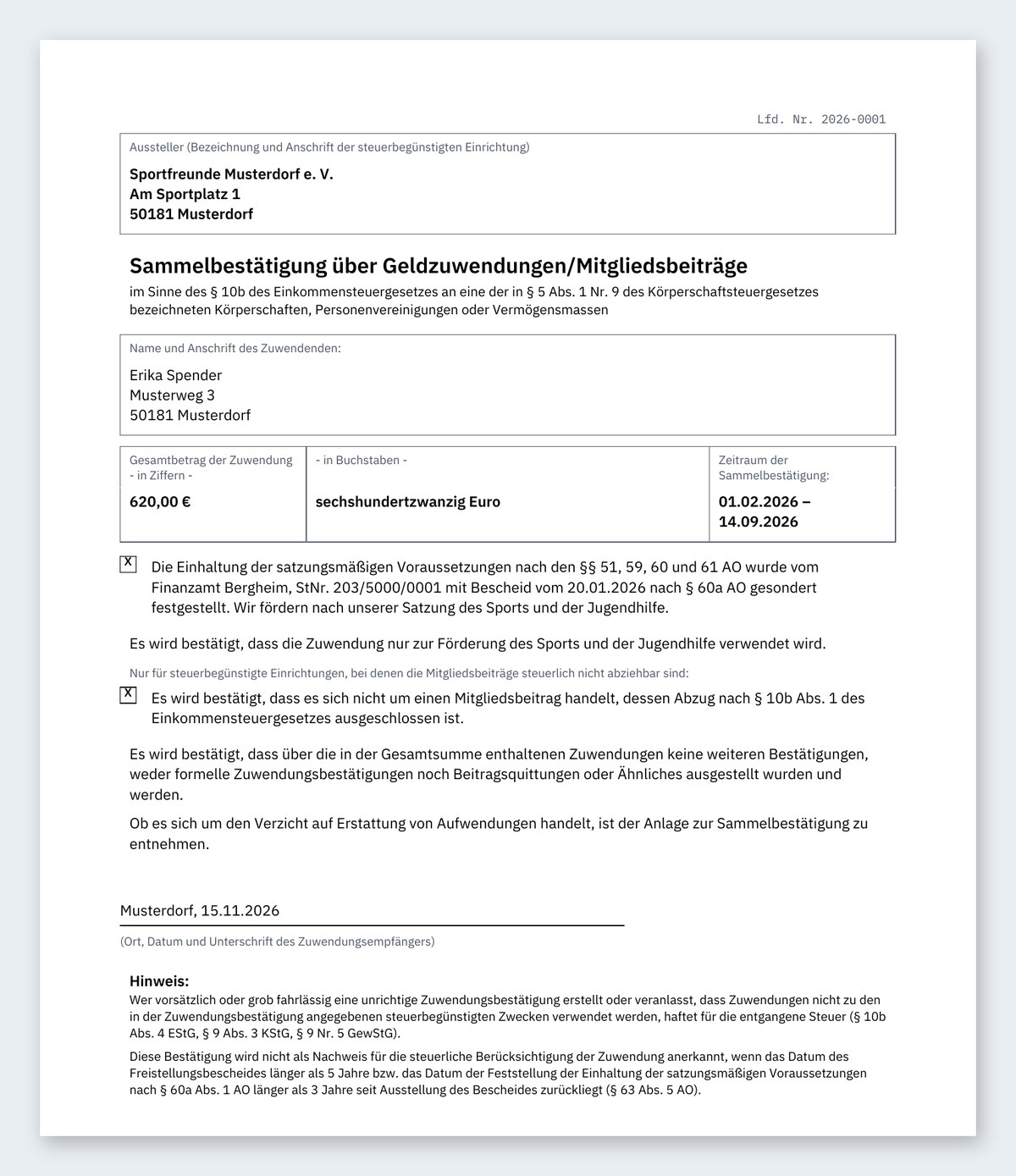
- Donation receipts: Receipts based on the official templates of the German Federal Ministry of Finance – individually, as an annual collective receipt and for donations in kind. Collective bookings, such as one month’s membership fees, can be split among individual members. The duplicate is kept automatically.
- Invoices (optional): If you already use Invoice Ninja for your invoices, you can connect it. Commander CFO only reads the invoices and matches payments – nothing in your invoices is changed.
Commander CFO is still in development. Details of the feature set may change before release.
Security and backups
Accounting data is confidential. That is why I have put a lot of care into protection and backups from the very beginning:
- Two-factor login: In addition to your password, you need a code from an authenticator app on your phone.
- Separate customer accounts: Every customer works in their own area and only sees their own data. The separation is enforced not only by the interface but also by the database itself.
- Roles instead of full access: You decide who may post entries and who may only read – for example the board, the auditors or your tax adviser.
- Traceable: Posted entries are secured by a checksum chain; corrections are made by reversal and are recorded in the change log.
- Regular backups: Database and receipts are backed up automatically, encrypted and additionally copied to a second location outside the server. At regular intervals the software restores a backup on a trial basis and checks it – so that it really works when it matters.
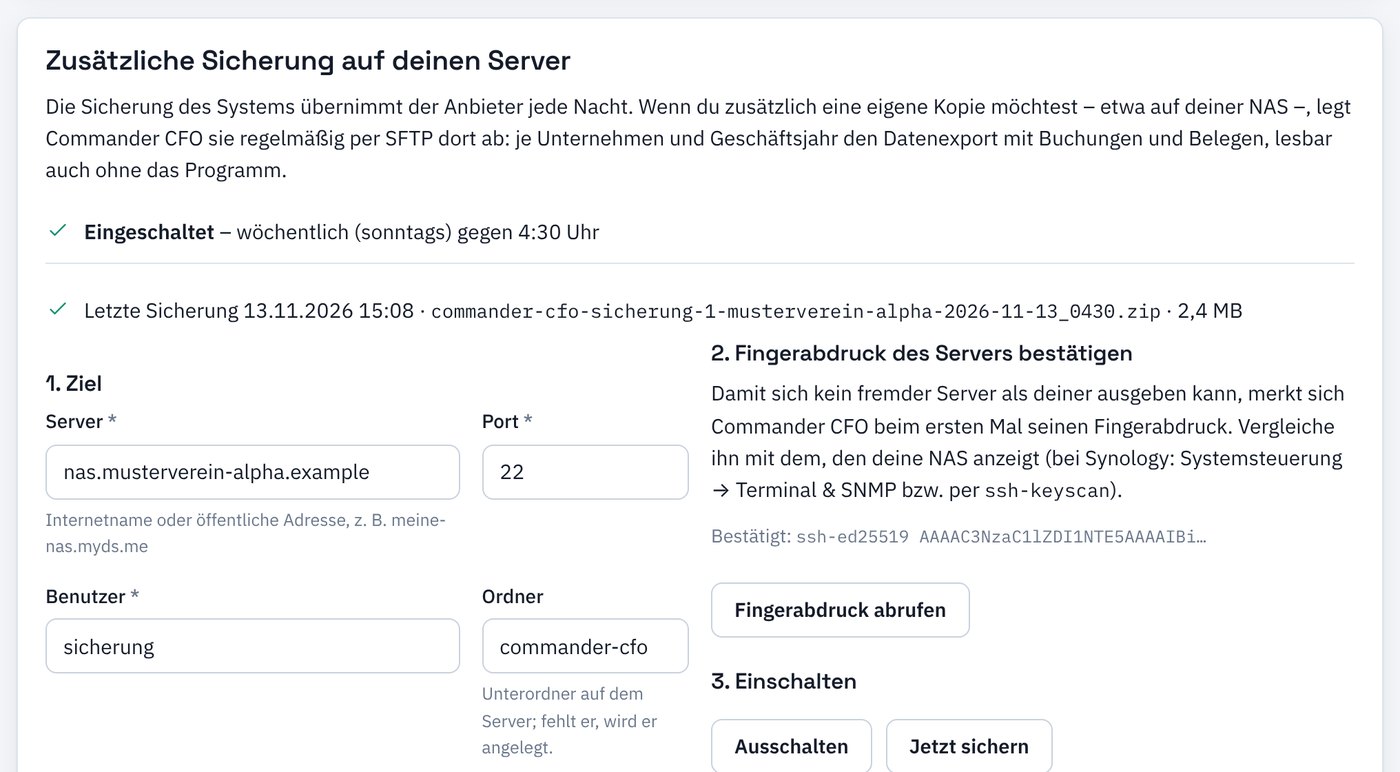
- Your own copy: If you wish, Commander CFO regularly places a copy of your data on your own server, for example your NAS – with bookings and receipts, readable even without the software.
Try it out, timeline and register your interest
There will be a demo before the release: one click, and you work in your own sandbox with a fictitious association, a sole trader and a UG – no sign-up and no real data. The demo is reset regularly.
Timeline: Commander CFO is already in use in my own business and will be completed and thoroughly tested before release. The release is planned for Q2 2027.
Interested? You run an association, a sole trader business or a UG and would like to be one of the first to use Commander CFO? Write to me – I will gladly put you on the list and get back to you as soon as the demo is ready.
Note: Commander CFO does not replace a tax adviser. The software helps you with your bookkeeping and prepares figures and filling aids; for tax decisions, please contact your tax adviser.