Here you will find answers to common questions about IT support, remote maintenance, data backup, cloud solutions, networks, secure communication, websites, servers, open source solutions as well as Bitcoin and encryption. If you cannot find your question here, please feel free to contact me directly.
General Questions
You can find more about my core services on my IT Service page.
What services are included in your IT service?
My IT service includes, among other things, IT support, remote maintenance, data backup, backup solutions, cloud services, network and Wi-Fi management, secure communication, website hosting as well as advice on digital assets such as Bitcoin. I support businesses and private customers with practical solutions – on site in the Bedburg and Bergheim area and surroundings, or remotely.
Do you work with private customers and businesses?
Yes, I look after both private customers and small and medium-sized businesses. Personal, understandable advice without unnecessary jargon is particularly important to me. Depending on your needs, I can help on a one-off basis with specific problems, or on an ongoing basis with maintenance, support and improvement of your existing IT.
Can I hire you for small projects or individual jobs?
Yes. Not every request requires long-term support. I am also happy to help with individual projects, specific problems or short-term questions.
Do you offer individual IT consulting?
Yes, I offer individual IT consulting. I look at your existing situation and recommend solutions that match your actual needs. My focus is on secure, cost-effective and, wherever possible, independent IT solutions, frequently based on open source software.
Which area do you cover?
I work primarily in the Bedburg and Bergheim area and in the Rhein-Erft district. Many issues can also be resolved by remote maintenance, so support is available regardless of location.
Do you work on site or by remote maintenance?
Both. Many problems can be solved quickly and easily by remote maintenance. If required, I will also come to you on site. My service area covers Bedburg, Bergheim and the surrounding region in particular.
How quickly will I receive support?
You write to me or call me directly – no ticket system, no hold queue, no rotating first-level support. You can reach me by phone, email, chatbot or messenger. As a rule I look into faults by remote maintenance the same working day, and smaller problems can often be resolved within a few minutes. If you need fixed response times in writing, we agree these in a maintenance contract.
Can you take over existing systems?
Yes, in many cases existing systems can be taken over, reviewed and maintained going forward. I start by analysing the current state, documenting the important points and identifying possible improvements. The goal is not always a complete replacement, but a sensible, secure and economical further development of your existing IT.
Can you analyse our existing IT infrastructure?
Yes. I analyse existing systems, networks, servers, data backups and security concepts and identify possible improvements and areas for optimisation.
Do you offer support with IT security audits?
Yes. I check existing systems for security risks and provide recommendations for improving data backup, access protection, network security and general IT security.
Why do you rely on open source solutions?
I rely on open source solutions because they are transparent, independent and often very flexible to deploy. Many solutions can be run in-house, which gives you more control over data, security and costs. Particularly in the areas of cloud, remote maintenance, communication and network security, open source solutions are often a strong alternative to the large commercial providers.
What advantages does open source offer over proprietary software?
Open source offers more transparency, less dependence on individual vendors and often lower licensing costs. The source code is openly available, solutions can be flexibly adapted and many systems can be operated on your own infrastructure. This is particularly interesting for customers who value data protection, control and long-term independence.
Are you certified, or do you have a particular qualification?
My professional training is not in IT; I am a qualified social insurance specialist (senior civil service grade) in the German state pension system. IT, however, is an absolute passion of mine – I love developing solutions and cracking problems, and that is exactly how I built up my know-how over several years of practical work supporting businesses and private customers. For me, what counts is less a certificate than whether a solution works reliably and is explained in an understandable way. If you would like to know more about my background, I will gladly tell you about it in a personal conversation.
What sets you apart from a traditional IT systems house?
With me you always speak directly to the person who looks after your systems, rather than to changing contacts or a ticket system. This means short lines of communication, fast response times and personal, long-term support – while keeping costs manageable, because there are no large overhead structures to finance.
What happens when you are on holiday or ill?
I give my managed-service customers advance notice of planned absences. But there is another point that matters more to me: your IT does not run because I am present, but because it is set up properly. Backups, updates and monitoring continue automatically, regardless of whether I am at my desk. Every environment I look after is also documented in such a way that another qualified provider can take over in an emergency.
Will I receive all access credentials and documentation of my IT?
Yes. All systems, access credentials and data belong to you – not to me. Passwords and credentials are stored in a password manager that you can access at any time. For the infrastructure I manage you receive understandable documentation covering systems, configurations, recovery procedures and contacts. This is not an optional extra on request, but part of my work.
Can another service provider take over the systems you have set up?
Yes, and that is by design. I rely on widely used standard and open source solutions such as Proxmox, Synology, Nextcloud, OPNsense or WireGuard – systems that any qualified IT service provider knows and can continue to maintain. I deliberately avoid proprietary special solutions or remote access arrangements that only work through me. You should stay with me because the working relationship is right, not because switching would be technically too much effort.
How does switching from my current IT service provider work?
A switch does not begin with a cancellation, but with taking stock. I look at your existing environment, document the current state and show you what I find – regardless of whether you then decide to work with me. Only once it is clear which access credentials, contracts and systems exist do we plan the handover. As a rule, support continues without interruption during this process – there is no standstill in day-to-day operations.
Are you currently accepting new customers?
Yes. I deliberately look after a manageable number of businesses so that personal support does not remain an empty marketing promise. I currently have capacity for new managed-service customers. Whether it is a good fit can be clarified in a short initial conversation – free of charge and without obligation.
IT Support & Remote Maintenance
You can find more about ongoing IT support on my IT Service page.
How does remote maintenance work?
With remote maintenance I connect to your computer or server with your consent in order to analyse and fix problems directly. You can follow the entire process and end the connection at any time. Many technical problems can be solved quickly and easily this way, without the need for an on-site appointment.
Is remote maintenance secure?
Yes. For remote maintenance I use RustDesk with a server I operate myself. The connections are encrypted and are not routed through the infrastructure of large third-party providers. Every remote session takes place only with your consent and can be ended by you at any time.
Which problems can be solved by remote maintenance?
Many IT problems can be conveniently fixed remotely. These include, for example, software errors, system configurations, network problems, printer problems, email setup, updates, data backup, security checks as well as general support for Windows, Linux and server systems.
Which remote maintenance software do you use?
I use RustDesk (also written as “Rust Desk”) and operate my own remote maintenance server for it. This means the connection is established independently of large providers and remains under my direct control. That enables secure, reliable and privacy-friendly remote maintenance.
Do I need to install anything on my computer?
In most cases a small RustDesk program is sufficient, which you start before the remote session. A permanent installation is not necessary for many support requests. For ongoing managed support, a permanent setup can also be arranged on request.
Do you offer regular maintenance?
Yes, on request I take care of regular maintenance work for computers, servers and networks. This includes, for example, updates, security checks, backup verification, system monitoring and general upkeep of the IT infrastructure. This means many problems can be identified and fixed before they affect operations.
Do you also support Apple devices and macOS?
No, I am not the right contact for this. My focus is on Windows and Linux systems; macOS and Apple devices are not within my area of expertise. For questions about setup, network integration, data backup or the integration of Apple devices, I will gladly refer you to a suitable contact.
Is support also available outside normal business hours?
Yes, in urgent cases I can also be reached in the evenings and at weekends. As a sole trader I am deliberately not a 24/7 call centre – but in return the person at the other end really knows your systems, which in practice usually leads to a result faster than a hotline that first has to ask around. For predictable emergency cover, a maintenance contract with agreed availability is the right choice.
Company Requirements & IT Compliance
You can find more about security measures and NIS2 on my IT Security page.
What is the NIS2 Directive?
The NIS2 Directive is a European regulation aimed at improving the cybersecurity of businesses and organisations. It obliges certain companies to implement appropriate technical and organisational measures to protect their IT systems and to report security incidents.
Does the NIS2 Directive also affect small and medium-sized businesses?
That depends on the sector, the size of the company and the significance of the services provided. Even companies that do not fall directly under NIS2 benefit from the security measures it recommends, as customers, insurers and business partners increasingly require corresponding evidence.
Can I have it checked whether my company is affected by NIS2?
Yes. Together we can assess your sector, company size and existing security measures. This makes it possible to estimate whether specific requirements apply and which measures make sense.
Which IT security measures should companies implement as a minimum?
The most important measures include regular data backups, secure passwords, multi-factor authentication, up-to-date software, network protection, access controls, emergency plans and staff training.
Is a managing director personally liable for IT security shortcomings?
Managing directors are obliged to implement appropriate technical and organisational measures to protect the company. Missing security measures, inadequate data backup or serious breaches of duty can, depending on the situation, have consequences in terms of liability. The legal assessment of a specific case belongs in the hands of a lawyer. I take the technical side off your hands: verified backups, access controls, documented emergency procedures and a regular risk assessment – exactly the evidence that matters when it comes to the crunch.
Can a missing backup become a liability risk?
Yes. If business-critical data is lost and no appropriate backup measures were in place, this can cause considerable economic damage. Regular and verified data backups are therefore among the most important organisational protective measures a company can have.
Does my company need an emergency plan?
Yes. An emergency plan helps you to be prepared for IT outages, cyber attacks, data loss or other disruptions. It defines responsibilities, recovery processes and measures for maintaining business operations.
How can I protect my company against ransomware?
Effective protection consists of several measures. These include up-to-date systems, secure user accounts, multi-factor authentication, network segmentation, staff training and, above all, tested data backups.
What should I do after a cyber attack?
Affected systems should, wherever possible, no longer be used. What matters is rapid analysis, the preservation of evidence, an assessment of any reporting obligations and recovery from trustworthy backups. Depending on the incident, additional legal or data protection steps may be required.
Do you help with IT security concepts for businesses?
Yes. I help with the analysis of existing systems as well as with the planning and implementation of practical security measures. The goal is an appropriate level of security that matches the actual requirements of the business.
Do I as managing director need to understand all the technical details?
No. Managing directors do not need to know every technical detail. They should, however, ensure that appropriate organisational and technical measures are implemented and that risks are assessed regularly.
How often should IT security measures be reviewed?
IT security measures should be reviewed regularly, particularly after major changes to the infrastructure, in the event of new threats, or at least once a year. Regular reviews help to identify security gaps at an early stage.
Who is liable in the event of a cyber attack on my company?
The question of liability depends on the specific incident and the protective measures taken. Companies should implement appropriate technical and organisational measures in order to reduce risks. For the legal assessment of a specific case, legal advice should additionally be sought.
Does my company need cyber insurance?
Cyber insurance can reduce financial risks arising from cyber attacks, business interruptions or data loss. However, many insurers already require certain security measures such as backups, multi-factor authentication and up-to-date systems.
What does the GDPR have to do with IT security?
The General Data Protection Regulation (GDPR) requires companies to implement appropriate technical and organisational measures to protect personal data. Many classic IT security measures such as backups, access controls and encryption therefore also contribute directly to meeting data protection requirements.
Servers, Linux & Self-Hosting
You can find more about servers and networks on my IT Service page.
Do you sell servers or hardware?
I am not a traditional hardware dealer. However, I am happy to advise you on selecting suitable servers, computers, NAS systems, network devices or other hardware. On request I also help with procurement, setup, security and ongoing support.
Can I rent a server from you?
I do not rent out classic server packages myself in the way a hosting provider does. However, I am happy to help you select suitable server or hosting solutions and, on request, take care of setup, maintenance, updates, security and data backup.
Can you administer servers remotely?
Yes, I also administer servers via remote access. This includes Linux servers, virtual servers, home servers, NAS systems as well as various self-hosted services. Maintenance, updates, troubleshooting and security checks can often be carried out entirely remotely.
Do you work with Linux?
Yes. I work with Linux workstations, Linux servers and Linux-based systems. This includes setup, troubleshooting, updates, software installation, network access, data backup and integration into existing environments. For many open source and server solutions in particular, Linux is an excellent foundation.
Do you work with Linux servers?
Yes. I help with the installation, maintenance, hardening and troubleshooting of Linux servers. This covers classic servers as well as virtual systems and container solutions.
Do you work with Proxmox?
Yes. I help with the installation, configuration, maintenance and hardening of Proxmox systems. This includes virtual machines, containers, storage, networking, data backup and the optimisation of existing environments.
Do you work with Docker?
Yes. I help with setting up and managing Docker containers as well as self-hosted services. This includes installation, updates, backups, reverse proxy configurations and the secure deployment of applications.
Do you work with Synology?
Yes. Synology NAS systems are among the solutions I particularly like to deploy and support. They are well suited as a central file server for small and medium-sized businesses as well as for private individuals. I help with setup, user management, data backup, remote access, updates and maintenance.
Do you help with NAS systems?
Yes. I help with the selection, setup and maintenance of NAS systems for private individuals and businesses. This includes data backup, user management, remote access, file storage, synchronisation and security concepts.
Do you also work with Windows Server?
Yes. In addition to Linux servers, I also help with the setup, maintenance and hardening of Windows Server environments, for example for file shares, user management or application servers. Which solution makes sense depends on your existing infrastructure and your company’s requirements.
Data Backup
You can find more about backup strategies on my IT Security page.
Can you back up my data?
Yes. I help with the planning, setup and monitoring of reliable data backups. This includes local backups, NAS systems, snapshots, encrypted offsite backups and regular checks so that data can be restored when it matters.
How do I back up my data reliably?
A reliable data backup consists of several layers. In addition to local storage, important data should also be backed up at a second location. I rely on proven backup concepts with automated backups, encrypted transfer and regular verification of the backups. This keeps your data protected even in the event of hardware defects, operating errors or malware.
Which backup solution do you recommend for small and medium-sized businesses?
For small and medium-sized businesses I frequently recommend Synology NAS systems as a central file server. These offer reliable data storage, flexible user management and extensive backup options. This is complemented by encrypted offsite backups in German data centres, so that the data remains protected even in the event of a total on-site failure.
Can backups be created automatically?
Yes. Modern backup solutions work fully automatically. Depending on your needs, backups can be carried out daily, several times a day or according to individual schedules. This ensures that current data is backed up regularly without the need for manual intervention.
How often should a backup be carried out?
The ideal frequency depends on how often your data changes. For many businesses, daily backups are sufficient. For particularly important or frequently changed data, backups can also be carried out several times a day. Together we determine which backup concept best suits your requirements.
Are my backups encrypted?
Yes. The offsite backups I use are transferred encrypted and stored encrypted. This keeps your data protected from unauthorised access even outside your company. The backups are stored in German data centres and can only be restored with the corresponding keys.
Can deleted files be restored?
Yes. Through the use of snapshots and backup versions, deleted or accidentally modified files can often be restored quickly. Depending on the situation, individual files, folders or even complete data sets can be rolled back to an earlier state.
Is RAID a backup?
No. RAID primarily protects against the failure of a hard disk, but it does not replace a data backup. If files are accidentally deleted, encrypted by malware or corrupted, those changes are present on the RAID as well. That is why I combine RAID systems with snapshots and additional encrypted backups in external data centres.
Do you review existing backup concepts?
Yes. I review existing backup solutions for completeness, reliability and recoverability. This involves checking not only whether backups are being created, but also whether they actually work when it matters. Regular integrity checks are an important part of a reliable backup concept.
How long does a data recovery take?
The duration depends on the volume of data and the nature of the incident. Individual files can often be restored within a few minutes. For larger data sets or complete systems, recovery can take correspondingly longer. Thanks to local snapshots and additional offsite backups, however, several recovery paths are available.
What is the 3-2-1 backup rule?
The 3-2-1 rule is a proven basic principle of data backup: at least three copies of the data, on at least two different storage media, of which at least one copy is at an external location. This principle also underpins the backup concepts I set up for customers.
Are your backups protected against ransomware?
Yes. Through immutable snapshots and separate, encrypted offsite backups it is ensured that a ransomware infection on the main system does not automatically render the backups unusable as well. This means a clean copy remains available for recovery when it matters.
Cloud & Collaboration
You can find more about running your own company cloud on my Cloud Solutions page.
Can you set up a private cloud?
Yes. I set up private and company-owned cloud solutions in which the data remains under your control. Depending on requirements, Synology DiskStations, Nextcloud environments or dedicated Linux servers are used.
Do you work with Nextcloud?
Yes. I help with the planning, installation, maintenance and hardening of Nextcloud environments (Nextcloud is occasionally also written as “Next Cloud”). Nextcloud is particularly well suited when files, calendars, contacts and collaboration are to be run on your own or on controlled infrastructure.
Which cloud solutions do you offer?
I prefer private and company-owned cloud solutions in which the data remains under the customer’s control. Synology DiskStations are frequently used as a personal or business cloud. For larger requirements, Nextcloud environments can also be operated on dedicated Linux servers. The goal is a secure, reliable and independent alternative to the well-known cloud providers.
Can you set up a private cloud instead of Google Drive or OneDrive?
Yes. A private cloud gives you the option of managing files, photos, documents, calendars and contacts independently of the large corporations. Depending on your requirements I use either a Synology DiskStation or a Nextcloud solution on a dedicated server. This means you retain control over your data and decide for yourself where it is stored.
Where is the data stored?
The actual data is generally stored locally at the company or on your own hardware. In addition, encrypted offsite backups can be held in German data centres, for example at Hetzner in Falkenstein or Nuremberg. This keeps the data protected even in the event of a hardware failure or other emergencies.
Are your cloud solutions GDPR-compliant?
The solutions I use can be operated in a GDPR-compliant manner, as the data is stored on your own infrastructure or in German data centres. Unlike many international cloud services, you retain control over where your data is stored and who has access to it.
Can I access my data securely while on the move?
Yes. The cloud can also be accessed while you are out and about. Secure connections and modern encryption methods are used so that data is not transmitted unprotected over the internet. This means you can access your files whether you are working from home, travelling or at a customer’s site.
Do you support shared calendars and contacts?
Yes. Depending on the solution used, shared calendars, address books and task lists can be set up. This allows appointments and contacts to be managed centrally and synchronised between different devices, without depending on the services of the large providers.
Can several users access files at the same time?
Yes. Several users can access files and folders at the same time. Individual permissions can be assigned so that each employee only sees the data that has been released to them. This enables simple and secure teamwork.
What advantages does a private cloud offer over commercial cloud providers?
The biggest advantage is control over your own data. You decide for yourself where the data is stored and who may access it. In addition, private cloud solutions often offer more data protection, fewer dependencies on individual providers and better adaptability to individual requirements. For businesses in particular, this can mean more security and independence in the long term.
Synology or Nextcloud – which is the right solution?
For many small businesses and private users, a Synology DiskStation is the most economical and at the same time a very capable solution. It offers file storage, synchronisation, user management, calendars, contacts and data backup in a single system. Nextcloud on a dedicated Linux server offers additional flexibility, but usually involves higher acquisition and maintenance costs. Which solution makes more sense depends on your individual requirements and is assessed together.
Can I also access my private cloud from my smartphone?
Yes. Both Synology and Nextcloud solutions offer their own mobile apps for iOS and Android. This means you can securely access and synchronise files, photos, calendars and contacts while on the move, without depending on a commercial cloud provider.
Networks, Wi-Fi & VPN
You can find more about secure VPN connections on my Specialist Solutions page.
Do you help with Wi-Fi and network problems?
Yes. I help with the planning, setup, optimisation and troubleshooting of networks, Wi-Fi, routers, switches and internet connections – both in private and in business environments.
Can you optimise my home or company network?
Yes. I analyse existing networks and identify weak points, bottlenecks and security risks. The goal is a stable, secure and high-performance network environment that matches your requirements. Both home networks and corporate networks can be optimised and extended.
Can you set up remote working access?
Yes. I set up secure access for home office (also written as “Home Office”) and mobile working. This includes VPN connections, secure file storage, user permissions, encrypted communication and protection against unwanted access.
Do you support VPN?
Yes. I set up secure VPN connections for individuals, employees and entire sites. This allows employees to securely access shared resources such as files, applications or internal services while on the move or working from home.
Do you support WireGuard?
Yes. I prefer modern VPN technologies such as WireGuard (also written as “Wire Guard”). WireGuard is lightweight, fast and very well suited for secure connections between individual devices, employees, sites or servers.
Do you support VLANs and segmented networks?
Yes. Using VLANs, different areas of a network can be cleanly separated from one another. For example, employees, servers, guest Wi-Fi, IoT devices or surveillance systems can be operated in separate network segments. This increases security and considerably simplifies administration.
Which firewall solutions do you recommend?
The right firewall depends on the specific requirements. For small and medium-sized businesses I frequently rely on capable open source solutions such as OPNsense. These offer extensive security functions, VPN connectivity, network segmentation and a high degree of flexibility at comparatively low cost.
Do you work with OPNsense?
Yes. I work with OPNsense (also written as “OPN Sense”) and help with planning, setup, migration, maintenance and troubleshooting. OPNsense is particularly well suited for firewalls, VPN connectivity, network segmentation and professional security concepts on an open source basis.
Do you work with OpenWrt?
Yes. I work with OpenWrt (also written as “Open Wrt”) and help with setup, configuration, Wi-Fi optimisation, VPN, firewall rules and network segmentation. OpenWrt provides a flexible foundation for capable router and network solutions.
Can several sites be securely connected to one another?
Yes. Several sites can be connected to one another via encrypted site-to-site links. This allows employees at different locations to securely access shared data, applications and systems as if they were on the same network.
Do you take over the maintenance of existing networks?
Yes. I take over the support and maintenance of existing networks regardless of whether they were originally set up by me. This includes updates, security checks, troubleshooting, optimisation and the extension of existing infrastructure.
Can employees working from home access company data?
Yes. Via secure VPN connections, employees can connect to the company network while on the move or working from home. Depending on their permissions, files, network drives, internal applications and other company resources are available to them, without these having to be publicly accessible on the internet.
How secure are your VPN solutions?
For VPN connections I rely on modern encryption methods and secure authentication. In addition, I operate my own NetBird (also written as “Net Bird”) relay server, which means connections do not have to run through the third-party infrastructure of large providers. VPN access is set up individually and kept separate, so that each user can only access the resources released to them.
How secure is using public Wi-Fi?
Public Wi-Fi, for example in cafés or hotels, is fundamentally less secure than your own network, as the data traffic can potentially be intercepted. A VPN connection to your own server can significantly reduce this risk, as the data traffic is encrypted.
Do you also set up mesh Wi-Fi systems?
Yes. For seamless Wi-Fi coverage across several rooms or floors I also set up mesh Wi-Fi systems, both in private and in business environments. In doing so I also pay attention to secure configuration and sensible network separation.
Secure Communication
You can find more about privacy-friendly messengers on my Communication page.
Do you offer secure communication solutions for businesses?
Yes. I set up privacy-friendly messenger and video conferencing solutions for businesses, frequently based on Matrix and self-operated servers. This keeps messages and user data under the company’s control instead of sitting on third-party infrastructure.
Why shouldn’t I simply use WhatsApp or Zoom for my business?
With WhatsApp, Zoom and similar services, contact data and content run through servers outside your own control, frequently outside the EU. This can be problematic in terms of data protection law and additionally means that sensitive business information is entrusted to a third-party provider. Self-operated solutions offer more control here, without employees having to give up the ease of use they are accustomed to.
Which messengers do you recommend for private use?
For private individuals I frequently recommend Signal or Matrix as privacy-friendly alternatives to WhatsApp. Both offer end-to-end encryption, with Matrix additionally offering the option of running your own server and thus communicating even more independently.
Can you set up video conferencing for my business?
Yes. I set up dedicated, privacy-friendly video conferencing solutions that run on your own infrastructure. This removes the dependency on large commercial providers, and sensitive conversations remain under your own control.
Websites, Hosting & Email
You can find more about hosting and email on my Web & Hosting page.
Do you build or maintain websites?
Yes. I help with the creation, upkeep, hosting, updating and hardening of websites. This includes WordPress websites for businesses, associations and private individuals in particular.
Can you host my website?
Yes. I help with website hosting and look after suitable hosting environments. This includes setup, updates, security, backups, technical upkeep and, on request, the migration of existing websites.
Do you offer WordPress hosting?
Yes. I help with the hosting, maintenance, updating, security and optimisation of WordPress websites. On request I also take care of migrating existing websites.
Can you migrate an existing website?
Yes. I help with migrating existing websites to new hosting platforms or servers. Data, emails, domains and security aspects are all taken into account.
Can you set up email accounts?
Yes. I help with setting up professional email accounts, domains, forwarding, spam protection and integration into email programs or mobile devices. Depending on the hosting solution, email addresses matching your own domain can be set up.
How does setting up an AI chatbot work?
Setting up an AI chatbot takes place in several steps. First we discuss together which tasks the chatbot is to take on and which information it needs to know. The chatbot is then equipped with the relevant content from your website, documentation or frequently asked questions.
Next comes the technical integration into your WordPress website. The chatbot is adapted to your design and thoroughly tested. Before going live, answers, wording and functions can be individually adjusted.
Depending on the scope, a simple chatbot is often ready for use within a few days. Even after setup, content can be extended, adjusted and optimised so that the chatbot grows along with your business.
Do I have to train the chatbot myself?
No. I take care of the technical setup and basic configuration for you. Existing content such as your website, product information, documentation or FAQ sections can be used as the knowledge base. This minimises the effort required from you and means the chatbot can be put to productive use quickly. New content can be added at any time later on.
Why should I have my website analysed?
Website analytics help you understand how visitors use your website. You can see which content is particularly popular, how users find your site and where improvements make sense. This allows you to improve your website in a targeted way and make it more successful.
What information do I get from website analytics?
You receive clear statistics about your website. These include visitor numbers, popular pages, where visitors come from, the devices used and traffic sources. All the important information is presented in an easily understandable dashboard.
Are the website analytics privacy-friendly and GDPR-compliant?
Yes. The website analytics are set up in a privacy-friendly way and enable meaningful evaluations without collecting unnecessary personal data about visitors. You retain control over your data and still gain important insights.
Do you also take care of SSL certificates for my website?
Yes. Every website I look after is secured with a valid SSL certificate so that the connection is encrypted and visitors do not see any security warnings in their browser. I handle the renewal of the certificates automatically as part of ongoing maintenance.
How long does it take to create a landing page?
That depends on the scope and the content required. A lean landing page can often be implemented within a few days to weeks, once the content and text are available. After a short discussion of your project I can give you a realistic time estimate.
Bitcoin, Encryption & Digital Assets
You can find more about Bitcoin payments and encryption for businesses on my Specialist Solutions page.
Do you provide advice on Bitcoin?
Yes. I support private individuals and businesses with questions around Bitcoin, wallets, self-custody, security and practical use. The goal is an understandable and secure introduction to the subject.
Do you also offer general encryption consulting, independently of Bitcoin?
Yes. Alongside Bitcoin, encryption is my second personal area of expertise. I support you with the targeted use of encryption to protect sensitive data, emails and documents – regardless of whether there is any connection to Bitcoin or not.
What does your Bitcoin consulting include?
I support private individuals and businesses with the secure use of Bitcoin. This includes advice on secure custody, wallet setup, backup concepts, protection against fraud, Bitcoin payments for businesses as well as the technical implementation of individual requirements.
Do you support Bitcoin Lightning?
Yes. I help with questions around the Lightning Network, wallets, payments and the technical integration of Bitcoin and Lightning solutions. This also includes advice on whether Lightning makes sense for the particular use case.
Do you help businesses introduce Bitcoin payments?
Yes. I help businesses introduce Bitcoin and Lightning payments – from the initial consultation through to technical implementation. Together we examine which solution makes sense for the particular use case and how Bitcoin payments can be integrated securely and simply into existing processes.
Do I need prior knowledge of Bitcoin?
No. The consulting is aimed at beginners and experienced users alike. Technical concepts are explained in an understandable way and implementation proceeds step by step.
Do you help with choosing and setting up a Bitcoin wallet?
Yes. Together we find a wallet solution that suits your requirements. In doing so I take into account security, usability and the intended purpose. The setup is carried out together and in a way you can follow.
Can you help me buy Bitcoin safely?
Yes. I explain how Bitcoin can be acquired through reputable channels and what to look out for regarding exchanges, fees, security and identity verification. The decision to buy or sell is of course entirely yours.
Do you support hardware wallets?
Yes. I help with the selection, setup and safeguarding of hardware wallets. The goal is secure storage of the private keys and understandable documentation of the backup procedures.
How secure is storing Bitcoin?
Security depends decisively on how the private keys are stored. With a suitable wallet, secure backups and well-thought-out documentation, risks can be reduced considerably. Secure custody and protection against loss or fraud are an important part of my consulting.
What happens to my Bitcoin in an emergency?
A frequently underestimated subject is estate planning. Together we can develop strategies so that relatives or authorised persons can gain access to the assets in an emergency, without compromising everyday security.
Can businesses convert Bitcoin into euros immediately?
Yes. Depending on the solution used, Bitcoin payments can be converted into euros automatically. This avoids exchange rate fluctuations and allows Bitcoin to be used as an additional means of payment.
Is Bitcoin legal in Germany?
Yes. Holding, buying and accepting Bitcoin as a means of payment are generally legal in Germany. The tax treatment, however, depends on the particular use case. For tax questions, a tax adviser should additionally be consulted.
How is Bitcoin treated for tax purposes?
The exact tax treatment depends on the individual case, for example on the holding period and on whether Bitcoin is held privately or commercially. I can help with the technical documentation of transactions, but for a binding tax assessment a tax adviser should always be consulted.
Do I need my own Bitcoin node?
For many beginners, running your own node is not necessary at first. Anyone who values maximum independence, privacy and direct use of the Bitcoin network, however, can benefit from having their own node. I am happy to advise on whether your own node makes sense for your use case.
Can you help me store Bitcoin securely?
Yes. The secure custody of Bitcoin is one of the most important parts of my consulting. Together we select a suitable wallet solution and discuss sensible backup strategies so that your Bitcoin can be stored securely over the long term as well.
Can you also set up a dedicated Bitcoin node?
Yes. Alongside classic IT services, I also help with building your own Bitcoin full node for more privacy, independence and control over your own Bitcoin transactions. For this I prefer modern self-hosting solutions such as Umbrel or Start9 / StartOS (also written as “Start OS”), which allow convenient management of Bitcoin, Lightning and other self-hosting services.
Depending on requirements, the node can be run on a dedicated mini PC, a capable home server or virtualised under Proxmox. Where server hardware is already available in particular, a professional virtualisation solution is a good option for cleanly separating Bitcoin Core, Lightning, Electrum server, Mempool Explorer and other services from one another and managing them flexibly. Umbrel and StartOS can also be run on x86 hardware and in corresponding virtualisation environments.
Possible services include:
- Planning and selection of suitable hardware
- Installation of Umbrel or StartOS
- Setup of a Bitcoin full node
- Configuration of the Lightning Network (LND)
- Connection of hardware wallets (e.g. Coldcard, Trezor, BitBox or Ledger)
- Setup of Electrum servers and Mempool Explorer
- Operation on Proxmox servers and virtualisation platforms
- Backup, security and monitoring concepts
- Support with remote access and private wallet connectivity
The goal is a Bitcoin infrastructure that is as sovereign and privacy-friendly as possible, in which you do not have to trust third-party servers and your wallet communicates directly with your own node.
Please note: The setup is carried out exclusively for lawful applications in the area of Bitcoin self-hosting, data protection and digital sovereignty. No investment or financial advice is provided.
Do you also support email encryption with PGP?
Yes. I help with setting up email encryption, for example with PGP. This allows emails to be encrypted so that only the intended recipient can read them – an important building block when sensitive information has to be exchanged by email.
Can you encrypt hard drives or entire devices?
Yes. I set up hard drive and device encryption for laptops, computers and external storage media. This keeps data protected from unauthorised access even if the device is lost or stolen.
Security Smartphone (GrapheneOS)
What is GrapheneOS (Graphene OS) and who is it suitable for?
GrapheneOS (also written as “Graphene OS”) is a particularly privacy-friendly, open source operating system for Google Pixel smartphones that works without the usual Google services integration. It is suitable for anyone who wants more control over which data their smartphone collects and passes on. I set up GrapheneOS devices and support the switch for private individuals who value data protection.
Will I lose important app functions with GrapheneOS (Graphene OS)?
In most cases, no. Most common apps can also be installed and used under GrapheneOS, in some cases via an optional, sandboxed Google Play environment that you can enable selectively if needed. Before setup I discuss with you which apps you need, so that the switch goes smoothly.
E-Invoicing & Invoice Ninja
What is an e-invoice?
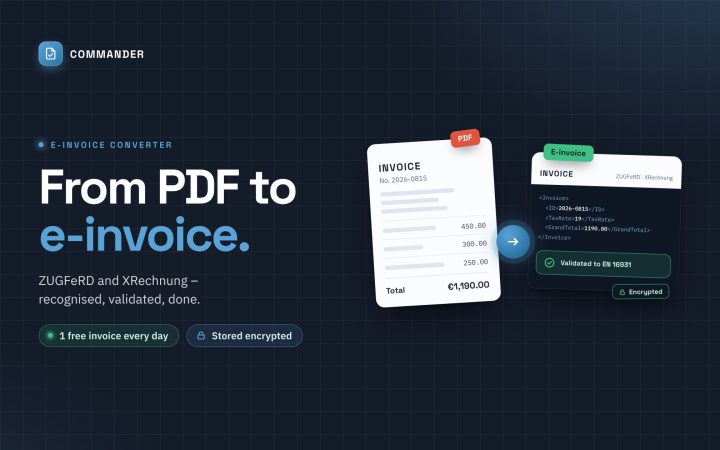
An e-invoice is an invoice in a structured, machine-readable format that complies with the European standard EN 16931. It can be read and processed automatically by accounting systems. A scanned document, a Word file or a classic PDF do not count as an e-invoice.
Is a PDF an e-invoice?
No. A classic PDF is an “other invoice” and does not meet the requirements for an e-invoice. A genuine e-invoice is structured, for example as XRechnung (XML) or ZUGFeRD (a PDF with an embedded XML file). The visible part may look like a familiar PDF, but what matters is the machine-readable data in the background.
Since when has e-invoicing been mandatory in Germany?
Since 1 January 2025, every domestic company in the B2B sector must be able to receive, process and store e-invoices in an audit-proof manner – including small businesses (Kleinunternehmer). Staggered transition periods apply to sending. For a binding assessment of your specific situation, you should also consult your tax advisor.
From when do I have to send e-invoices myself?
This depends on your previous-year turnover. Companies with more than EUR 800,000 total turnover in the previous year must issue e-invoices from 1 January 2027. Smaller companies benefit from a transitional arrangement until the end of 2027. From 1 January 2028, e-invoices are then mandatory in principle for all domestic B2B transactions.
Do I have to issue e-invoices as a small business (Kleinunternehmer)?
No. Small businesses are exempt from the obligation to issue. However, you have been required to be able to receive and process e-invoices since 2025. On request, I set up a suitable solution for you to receive and read incoming e-invoices.
What is the difference between XRechnung and ZUGFeRD?
XRechnung is a pure XML file and is used above all in business dealings with public-sector clients. ZUGFeRD is a hybrid format in which the structured XML file is embedded in a PDF. The result is a single file that is both human-readable and machine-readable. Both formats comply with the EN 16931 standard.
What does EN 16931 mean?
EN 16931 is the European standard that defines the data structure of an e-invoice. Only structured invoices that comply with this standard count as legally compliant e-invoices in Germany. XRechnung and ZUGFeRD are the two formats commonly used in Germany that meet this standard.
Are there any exceptions to the e-invoicing requirement?
Yes. Exceptions include, among others, small-amount invoices up to EUR 250, travel tickets, certain tax-exempt transactions and invoices to private customers (B2C). Whether an exception applies in your case is best clarified together with your tax advisor.
What is Invoice Ninja?
Invoice Ninja is an established, open-source software for invoicing, quotes, time tracking and payment processing. It can be self-hosted, so your invoice and customer data stays under your control. Worldwide, more than 200,000 self-employed people and companies use the platform.
Can Invoice Ninja create e-invoices as XRechnung and ZUGFeRD?
Yes. Invoice Ninja supports e-invoices compliant with EN 16931 in the XRechnung and ZUGFeRD formats. On request, the structured XML file is embedded directly into the PDF, so your customers receive just a single document. I configure the required mandatory details so that your e-invoices pass validation cleanly on the recipient’s side.
Can you set up and run Invoice Ninja for me?
Yes. I take care of the complete setup, configuration and ongoing operation – hosted for you or on your own infrastructure. This includes the server, domain connection, SSL encryption, email delivery, updates and backups. That way you can start using the software right away, without having to deal with the technology.
Can Invoice Ninja run under my own domain?
Yes. On request, your invoicing runs under your own domain, for example invoice.yourcompany.com. The client portal and the invoices are designed in your look with your logo (white-label). This gives your customers a consistently professional, trustworthy experience.
Does my invoice data stay in Germany, and is the solution GDPR-compliant?
With the self-hosted solution, you determine the server location. I run Invoice Ninja in a data-protection-friendly way, on request in a German or European data centre or directly on your own infrastructure. This way you keep control over your data instead of entrusting it to an international cloud provider.
Which payment methods does Invoice Ninja support?
Invoice Ninja can be connected to numerous payment providers. Among others, I set up classic bank transfer (SEPA, with a QR code on request), SEPA direct debit (e.g. via GoCardless or Mollie) and credit card payment (e.g. via Stripe or Mollie). Your customers can then pay directly from the invoice portal – with a single click.
Can I have recurring invoices collected automatically?
Yes. In combination with SEPA direct debit, due amounts are collected automatically. This is ideal for subscriptions, maintenance contracts and recurring services. Once set up, invoicing and collection happen on time and without manual effort.
How much does Invoice Ninja cost?
The software itself is open source and has no expensive per-user licence fees. With me, you pay for setup, hosting and support – not for every single account. Hosting and support start at €39 per month; the one-time setup is billed according to effort. After a brief description of your requirements, I’ll put together a suitable, transparent quote for you.
Do I have to change my way of working completely?
No. You create your invoices as usual – and in the background Invoice Ninja automatically generates the standard-compliant e-invoice document. So hardly anything changes in your daily routine, while the technical requirements are met behind the scenes.
Can I migrate my existing customer and invoice data?
In many cases, yes. Customers, products and existing invoice data can often be imported, for example from spreadsheets or other systems. Together we take a look at your previous solution and determine which data can be transferred.
Can Invoice Ninja also process incoming e-invoices?
Invoice Ninja is primarily designed for creating and sending invoices. For the obligation that has applied since 2025 to be able to receive, read and store incoming e-invoices in an audit-proof manner, I set up a complementary solution for you if needed. That way you cover both sides – sending and receiving – in a legally compliant way.
Does Invoice Ninja replace my accounting or my tax advisor?
No. Invoice Ninja is a tool for invoicing and payment processing, not a replacement for accounting or tax advice. However, the data can be exported so that your tax advisor can process it further. We’ll clarify a suitable interface or export format individually.
Who is this solution for?
The managed Invoice Ninja solution is particularly suitable for self-employed people, freelancers, skilled-trade businesses, service providers and small and medium-sized enterprises that want to implement e-invoicing in a legally compliant way while keeping control over their data. Whether the solution is right for you is something we’re happy to discuss in a free initial consultation.
Can I accept Bitcoin payments with my invoicing software?
Yes. By using your own BTCPay Server (BTC Pay Server), you can accept Bitcoin payments directly from your invoices—both on-chain and via the Lightning Network. I set up the BTCPay Server on your own infrastructure and integrate it with your invoicing software (such as Invoice Ninja), allowing your customers to receive a familiar invoice and pay in Bitcoin with a single click or by scanning a QR code. BTCPay Server is open-source software that operates without a third-party payment processor. This means there are no percentage-based transaction fees like those charged by credit card providers or PayPal, and payments are sent directly to your own Bitcoin wallet—without a bank or intermediary. You retain full control over your funds at all times. The only fees that may apply are the standard Bitcoin network fees for on-chain transactions. These fees are paid to the Bitcoin network itself, not to a payment service provider or intermediary. As with any payment method, you should consult a qualified tax advisor regarding the tax treatment of Bitcoin transactions.
Costs, Billing & Working Together
What does IT support cost for my business?
I charge ongoing IT support as a monthly flat rate per device: €75 per workstation (PC or laptop incl. user), €150 per server (physical or virtual) and €80 per NAS, for example a Synology. The minimum monthly fee is €250. An office with eight workstations and one server therefore pays 8 × €75 + €150 = €750 per month.
The flat rate includes updates and security patches, monitoring of servers and network, verification of your data backups, maintained documentation of your systems, and standard support by phone, email, remote maintenance and on site. For on-site visits I only charge travel according to my travel rates; travel to Bedburg and Bergheim is free. Not included are specialist assignments, the setup of new devices and workstations, and projects – for managed-service customers these are billed at reduced rates as specified in the contract.
The flat rate is based on a typical support effort of around 45 minutes per workstation per month. If the effort is significantly higher over several months, we discuss an adjustment together – there is no retroactive billing.
You do not have to opt for a flat rate. Individual jobs and support without a contract are billed by effort: €90 per hour for standard work and €120 per hour for specialist assignments such as IT security, server migrations or emergencies. Remote sessions are billed in 15-minute increments; on-site appointments are billed at a minimum of one hour and then also in 15-minute increments. With few devices and occasional requirements, this is often the more economical option. From around five workstations, or as soon as a server is involved, the flat rate is generally the better choice – not least because I then have my own interest in making sure faults do not occur in the first place.
As a small business under § 19 of the German VAT Act (UStG), I do not charge VAT – the amounts quoted are final prices. After a brief look at your systems I will quote you a fixed monthly amount that you can budget for reliably.
What is included in a support flat rate?
It includes the services that keep your IT stable: regular updates and security patches, monitoring of servers and network, verification of data backups, maintained documentation of your systems, and standard support by phone, email, remote maintenance and on site. For on-site visits, only travel is charged according to my travel rates. Not included are specialist assignments such as emergency help after a cyber attack, the setup of new devices and workstations, and larger projects such as a server migration or the introduction of new software. For managed-service customers these are billed at reduced rates as specified in the contract – we discuss that beforehand, not on the invoice.
Hourly billing or a flat rate – which is cheaper for me?
With few devices and occasional requirements, hourly billing is usually more economical, because you only pay for what actually comes up. From around five workstations, or as soon as a server is involved, the flat rate is generally worthwhile. The decisive difference, however, is not the price: with a flat rate I have a commercial interest in making sure faults do not occur in the first place. With hourly billing I earn from every problem. We work out together which makes more sense in your case.
Do I have to enter into a maintenance contract?
No. You can also commission all services individually, without an ongoing contract. A maintenance contract is worthwhile if you want predictable costs, fixed response times and continuous monitoring of your systems. If you would first like to try out how the working relationship goes, simply engage me with a specific request.
How long am I tied to a maintenance contract?
The term is 12 months. If it is not cancelled, the contract extends by a further year at a time; the notice period is three months to the end of the term. The exact conditions are set out in writing before the contract begins. I offer maintenance contracts to businesses and charitable organisations – you should stay because the support is right, not because a contract holds you there.
What does a single support hour cost?
I bill at two hourly rates. €90 per hour applies to everyday IT work such as setting up and troubleshooting PCs, laptops, printers or smartphones, managing email accounts, software installation, routers, Wi-Fi and NAS in standard configuration, and general advice. €120 per hour applies to specialist assignments that require specialist expertise, increased responsibility or emergency work. Customers with a maintenance contract receive more favourable conditions, which are set out in the contract.
When does the specialist rate apply?
The specialist rate of €120 per hour applies, among other things, to immediate help after a cyber attack, compromised accounts or ransomware, malware removal and security assessments; setup and migration of servers (Windows, Linux, Docker, virtualisation); VPN and site-to-site networking, VLANs, firewall configuration and complex network faults; migrating email and data, e.g. to Microsoft 365 or to your own server; data recovery after a failure or attack; consulting on NIS2, technical data protection measures and security concepts; and specialist solutions such as Bitcoin/crypto security, self-hosted services and AI chatbot integration.
You will know which rate applies before work begins. Sometimes it only becomes clear during a job that it is a specialist case, for example when a “slow PC” turns out to be a security incident. In that case, I will let you know before continuing at the specialist rate. When in doubt, the standard rate applies.
In what time units do you bill?
I bill in 15-minute increments, not by the hour started. A remote session that takes ten minutes costs you only a quarter of an hour. For on-site appointments I charge a minimum of one hour, as travel and preparation arise regardless of the duration; any further time is then also billed in 15-minute increments.
Are there travel costs?
For Bedburg and Bergheim, travel is free of charge – no additional item appears on the invoice. For all other locations I charge a flat fee per visit covering mileage and travel time: Elsdorf and Titz €25; Kerpen, Jüchen, Grevenbroich and Rommerskirchen €65; Erftstadt, Frechen and Pulheim €80; Brühl and Hürth €105; Wesseling €120; Cologne west of the Rhine €140 and Cologne east of the Rhine €160. For other locations we agree a fair flat fee in advance. Any parking fees are charged in addition.
The travel fee also applies to managed-service customers; for them, the working time on site is covered by the monthly flat rate as part of standard support. Many issues can be resolved by remote maintenance anyway, in which case travel does not arise at all.
Are there surcharges outside business hours?
My regular business hours are Monday to Friday from 8 am to 6 pm. Outside these hours, as well as at weekends and on public holidays, I charge a surcharge of 50% on both hourly rates. Appointments on Saturdays or at off-peak times are available on request – the surcharge ensures that these times remain reserved for genuine emergencies and requested appointments. For customers with a maintenance contract, more favourable conditions apply as set out in the contract.
Will I receive a cost estimate in advance?
Yes. Before every project you receive a written estimate of the effort involved with a clear upper limit. If it becomes apparent during implementation that the effort will be higher, I contact you beforehand – not afterwards with the invoice. For smaller support requests I tell you the likely duration as soon as I have seen the problem.
Why is there no VAT on your invoices?
I am a small business under § 19 of the German VAT Act (UStG) and therefore do not charge VAT. The price quoted is the final price – nothing is added. For practices, healthcare professionals, associations and private customers who cannot deduct input tax themselves, this means a real price advantage over VAT-registered providers. For businesses entitled to deduct input tax, it is simply one pass-through item less on the invoice.
How and when will I receive an invoice?
Ongoing support is billed monthly, projects on completion or according to agreed milestones, and individual support call-outs once completed. Every invoice lists the services provided and the time spent in a way you can follow. The payment term is 14 days.
How can I pay?
Payment is made by bank transfer to the account stated on the invoice, within 14 days of the invoice date.
What does a one-off project cost?
The price depends on the scope and the effort involved. For clearly defined projects – setting up a NAS, building a backup solution, VPN for remote working, migration to a new server – I provide you with a fixed-price quote so that you know in advance where you stand. Where the scope is open-ended, I bill according to effort with an upper limit agreed in advance.
What does hosting my website cost?
Hosting, domain and ongoing upkeep are offered as an annual flat rate starting at €150. This includes server operation in Germany, SSL certificate, updates, backups and technical support. Creating or migrating a website is charged according to effort and agreed in advance as a quote.
What does a chatbot for my website cost?
I offer a chatbot as a monthly flat rate starting at €39 per month. This includes ongoing operation, upkeep of the knowledge base and later adjustments. Setup is billed once according to effort. In addition there is a monthly credit for the AI responses, which is based on the actual usage of your website. On request I set up a monthly spending cap, so your costs remain predictable at all times. The level of the flat rate depends on how extensive the content is and how closely the chatbot is to be adapted to your visual identity. You can try out how such a chatbot works directly on my website.
Is there a free initial consultation?
Yes. The first conversation is free of charge and without obligation, by phone, by video call or at your premises. In it we look at your current situation, I tell you frankly what I consider sensible, and you receive a realistic estimate of the costs to expect. Whether this leads to working together is then for you to decide at your leisure.
How does working together proceed?
To begin with, there is an analysis of your requirements and of the existing IT infrastructure. You then receive a recommendation together with an individual quote. Once you have given your approval, the agreed measures are implemented. Even after a project is completed, I remain available for support, maintenance and further development.
How can I best reach you?
You can reach me at any time by email at info@it-service-commander.de or by phone on 02272 / 9774010. You are also welcome to send an enquiry directly via my website. Further contact options are available via chatbot or messenger.